 PdfPhi
Every PDF tool you need,
right in your browser
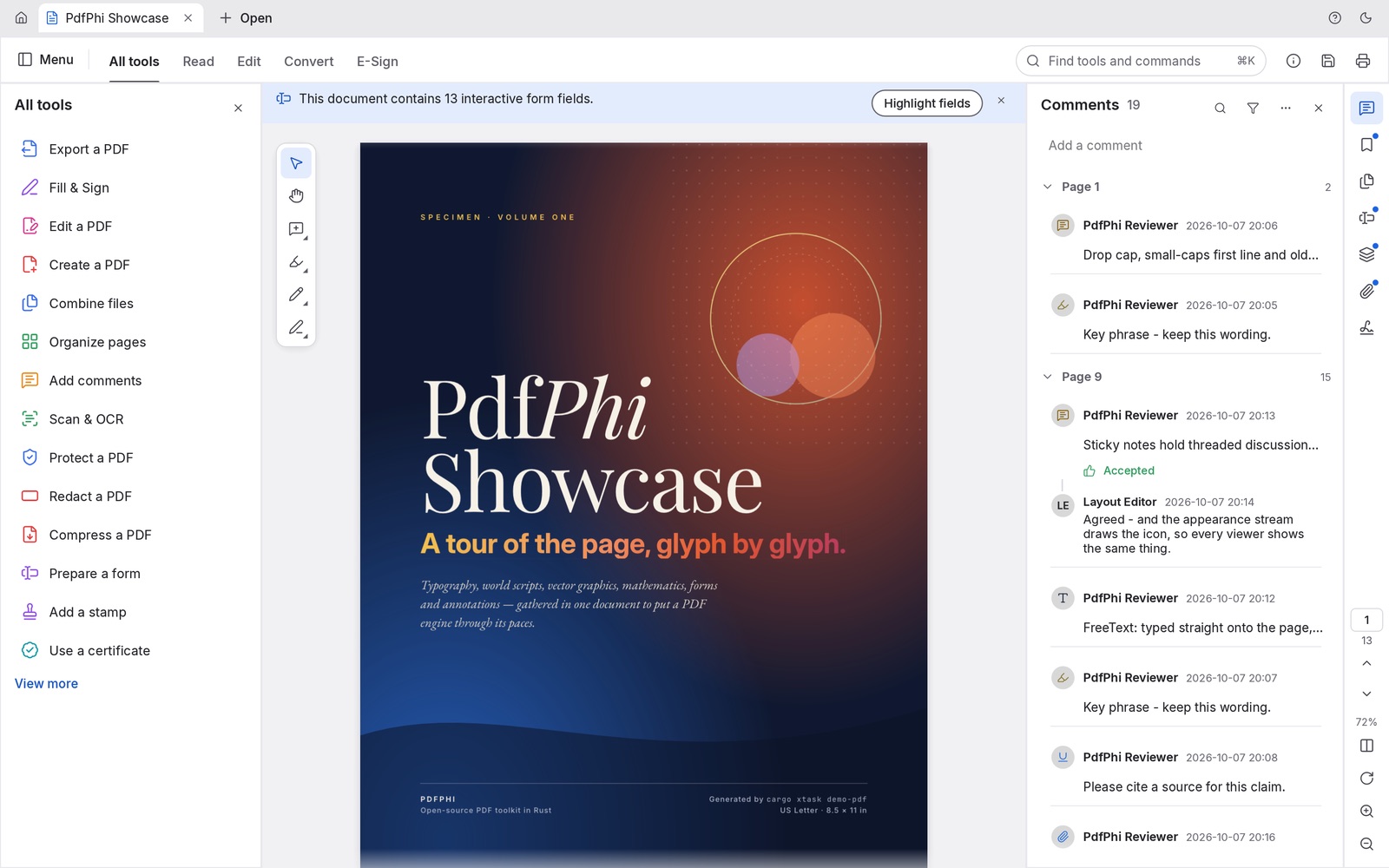
PdfPhi reads, organizes, merges, splits, fills, signs, redacts and protects PDFs. It opens in a tab and works on your own device, so your documents are never uploaded. No download, no account, no watermark.
Works in Chrome, Edge, Safari and Firefox. Best on a laptop or desktop.
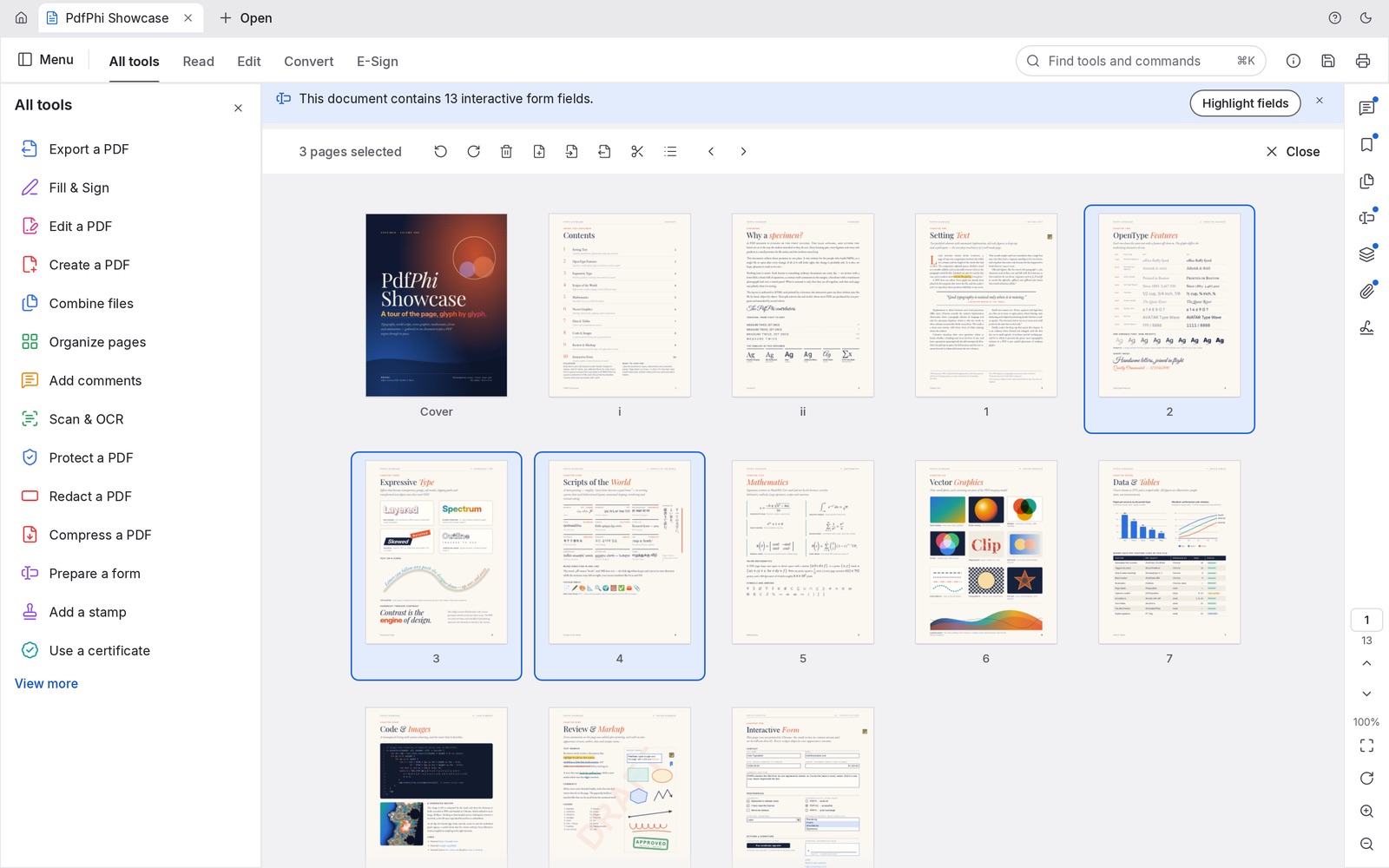
Move pages around like cards on a table
See every page at once, select a few, and rotate, delete, duplicate or move them into place. Merge several PDFs into one, or split a long document into parts. Links, form fields, layers and bookmarks come along intact.
- Merge files
- Split every n pages
- Extract pages
- Insert from file
- Rotate & crop
- Page numbers
- Bookmarks
- Compress
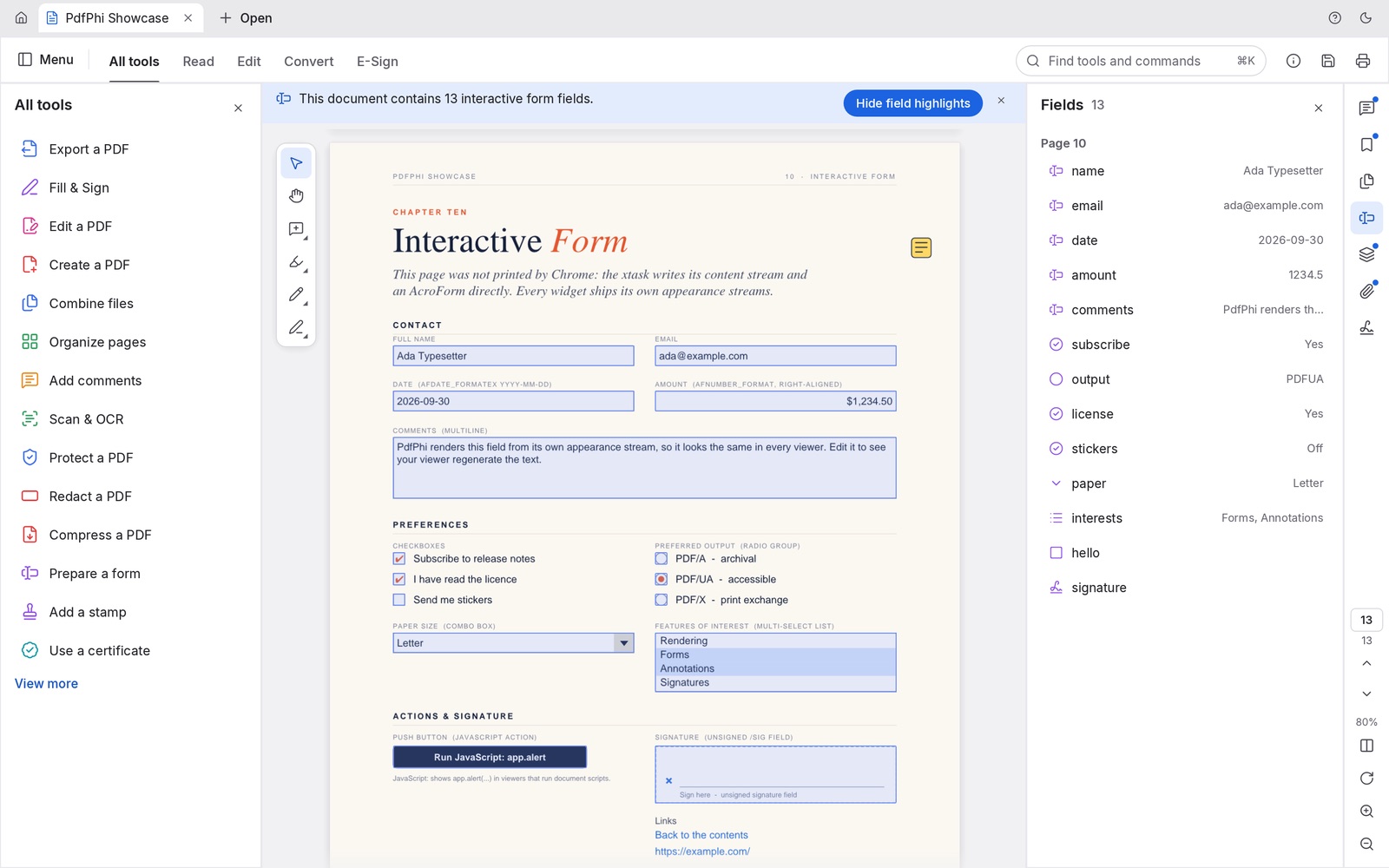
Finish the paperwork without printing it
Type into form fields, tick the boxes, add your signature and send it back. Review documents with highlights, sticky notes, shapes and stamps, and keep the conversation going with threaded replies.
- Fill forms
- Create forms
- Signatures
- Highlights & notes
- Stamps
- Watermarks
Nothing to install. Nothing uploaded.
-
Your files stay on your deviceMost online PDF tools upload your documents to their servers. PdfPhi doesn't: it reads, edits and saves files inside your browser.
-
Starts in secondsNo installer, no sign-up and no trial. Open the page and drop in a PDF.
-
Open source, built in RustA clean-room PDF engine written from scratch in Rust and compiled to WebAssembly. Free forever, with no watermark.
Questions people ask
Is PdfPhi really free?
Yes. There's no trial, no watermark, no page limit and no account. PdfPhi is open source under the MIT and Apache 2.0 licenses.
Are my PDFs uploaded anywhere?
No. PdfPhi runs entirely in your browser on your own device. Your files are read and saved locally and are never sent to a server.
Can I merge several PDFs into one?
Yes. Choose Combine files, pick the PDFs in the order you want, and save the result. Each source file gets a bookmark, and its own bookmarks are nested underneath.
Does it open password-protected PDFs?
Yes. Enter the password and PdfPhi opens files encrypted with anything from 40-bit RC4 to AES-256. It honours the author's permissions, and edits to encrypted files are saved encrypted.
Which browsers does it work in?
Current Chrome, Edge, Safari and Firefox. It works best on a laptop or desktop computer.